Design a Neuro-Friendly Streaming Setup
Every autistic person's relationship with sensory overload is different. I struggle to go grocery shopping due to the bright, fluorescent lights and loud overhead music. I mitigate this by wearing noise-cancelling headphones playing peaceful music or thunderstorms.
When streaming, I have a sensory-friendly alcove with everything I need to stay comfortable. I have sound-absorbing panels on my walls, soft LED key lights, open-back headphones, and a desk with more than enough space that I keep somewhat organized.
Below are some of the strategies that I've been using since I began streaming. I'm always on the lookout for better options to manage uncomfortable sensory inputs—open-back headphones were the most recent adjustment. For my desk, I found that being completely locked in forced me to look over my shoulder to check if anything was around. Open backs allow me to stay aware of my surroundings at home, where I'm already safe.
Lighting

Lighting plays a critical role in making your camera look good. I've previously argued that, "Your Camera is What Creates You,"1 in my post on unmasking and authenticity. If you still decide not to use a camera, lighting won't be as important—though you should still make sure your lights don't interfere with your stream. Such detractions might be direct sunlight on your chat monitor, bright overhead lamps creating glares on secondary monitors, or even desk lamps.
For everyone else who is using a camera, whether that be a cheap webcam or an expensive DLSR, lighting is everything. Almost. Audio is pretty important too—arguably the most important. But we'll get there.
Diffused Light
There are many options out there for stream lighting, but the consensus ha always been soft, diffused light is best. This can be as simple as a sheet of paper over a work lamp from a hardware store, or it can be an advanced option like an LED Key Light. You can also get studio-style softboxes, though they are huge and difficult to manage in a small space.
I use an Elgato Key Light and an Elgato Key Light Air. I prefer lighting solutions that include adjustable warmth settings. I typically use 3500K, with brightness between 20% and 35%. There is a lot of information out there on the best temperature, brightness, and light positioning to use, and I think too much of it promotes itself as the ultimate solution to everyone's lighting. There is no ultimate solution—so don't waste hours like I did trying to find it.
Minimalism
Also in my authenticity and unmasking post, I mentioned minimalist overlay designs, avoiding flashing or loud alerts. My follow alert on Twitch is a recording of my own voice saying, "Welcome," and a pop-up of me drinking from my OzMug. My goal with my alerts is to make them less intrusive to both me and my viewers, while keeping them entertaining.
Outside of your actual stream setup, minimalism looks like not overwhelming yourself with tools, clutter, or accessories that aren't providing value to your stream. Negative space is a powerful concept in art—apply it here. Do you need a full-size keyboard, or would TKL work better to keep space available? What about cables and cords? If you have a lot of corded accessories, are you trying to manage a rat's nest behind your monitor that will serve as an annoying distraction while streaming?
Audio
We're going to talk about audio from two perspectives: the sound the creator hears as well as the sound the stream hears. Audio is the actual most important element to a good stream. Every sound, from your voice to your gameplay and alerts needs to be perfect. Bad audio will lose you more viewers than any other problem with streaming.
For you, audio problems could be alerts that cause jump scares, misleading sound effects (from something like Sound Alerts or Blerp), or a new Alert Box that you've just set up but didn't realize the sounds were different and when someone followed you it scared the hell out of you. That may have happened to me once or twice.. or more.
Active Noise Cancellation (ANC)
Since my autism diagnosis, one of the greatest tools I've found was active noise cancellation. When I go out, I have a pair of high-quality ANC headphones with me. Until recently, I used a gaming headset with ANC, but I've recently moved to open back headphones to help with my hypervigilance.
Sidetone
In addition to the above-mentioned hypervigilance, another challenge with ANC headphones is sidetone. When the hardware you're using pushes a firmware update that cripples sidetone, the product becomes much less useful. Your comfort will vary, but if you're buying a new headset for streaming, I highly recommend you buy from somewhere that has a reasonable return policy.
Volume Control & Balance
One of the most challenging settings I've dealt with is advanced audio properties in OBS. Finding the perfect volume for my game, my music, my voice, and my alerts has been an ongoing struggle since I started. And your perfect settings may be vastly different from mine.
My Xbox gameplay input is set to -7.0 dB, while my alerts are -9.0 dB. I also use sidechain compression (also known as audio ducking) on my gameplay, lowering the volume of my game whenever I speak into my microphone. Keeping the primary sounds as close to the top as possible makes ads less jarring, since the volume is closer to the ad volume. If you're watching a streamer with gameplay audio at 50% and an ad plays, you'll know what I mean—especially if you have headphones on.
Beyond the balance for your stream, you need to find the right balance for yourself. This could mean listening to background music that your stream doesn't hear, or listening to your favourite band while your stream listens to stream-safe music. Or maybe you want alerts or TTS that only you hear.
Alerts and Extensions
Alerts are an exciting element to streaming and they can be a lot of fun. However, they can also be distracting or overstimulating for both the streamer and the viewers. I have slowly been migrating my alerts to just my own voice, as it doesn't startle me like default alert sounds do. Wherever your alerts live, you should be able to customize the sounds and visual effects, setting them exactly to your preference.
Twitch offers a lot of fun extensions that can make your stream more interactive.. or more chaotic. Dead by Daylight, Destiny 2, and Apex Legends feature extensions that offer perk, stats, or equipment information as an interactive overlay, while Sound Alerts and Blerp offer viewers ways to spend channel points or bits to play sounds and/or videos on your stream. I've seen streamers who use these to set up jump scares or walk-on animations for dedicated community members. This is all great stuff—but I don't use any of them. I try to keep everything minimalist, but I'm happy those features exist for people who want them.
Microphone Filters
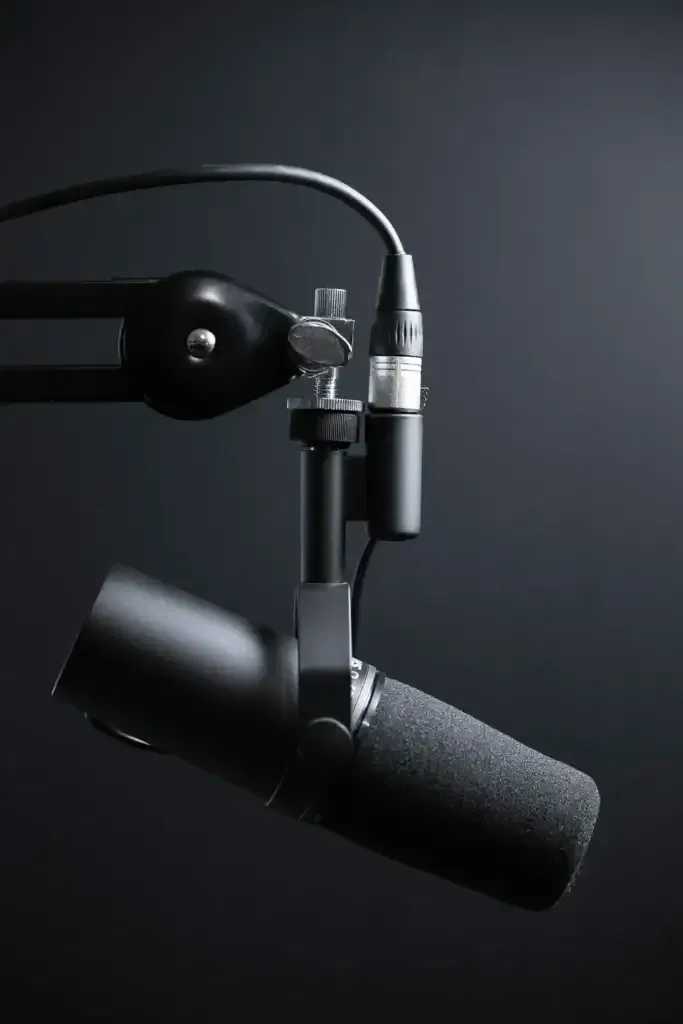
Your microphone allows you to speak directly into your viewer's ear. With the fight filters or plugins, you can slide right up beside them and whisper into their ear. I use VSTs to adjust the sound of my XLR microphone.
The VSTs I use are Renegate, RoughRider3, T-De-Esser 2, and TDR Nova. I followed YouTube videos by people who know a lot more about microphones than I do, and I recommend you do the same rather than just copying my settings. Settings will be different for every voice and every microphone, so this will be a labour-intensive task for any streamer.
OBS has a fair number of built-in filters if you don't want to spend the time learning about VSTs for now—noise suppression, compressor, noise gate, and limiter. Though I use a Mac, if you've found this blog from a Windows PC with an Nvidia GPU, you may have access to Nvidia Broadcast, with its many audio processing features as well.
Physical Space
The space you occupy needs to be conducive to your focus and success. For many, a messy workspace causes distractions, frustration, or disorientation. But there's nothing worse than cleaning your desk before you do some creative work.
Clean your Desk
If cleaning your desk is a task you'd rather avoid, do it the day before you plan to work. Do it on the weekend. Do it during scheduled cleaning time when you know that you don't need to accomplish anything else for at least an hour after. Listen to music, put on a podcast—whatever it takes. You'll feel much better when you sit down to a clean, uncluttered desk.
Consider your Background
Content creators who show their face have many background options available today. A physical green screen with proper lighting can minimize distractions. If you're a Sailor Moon enthusiast, you might want to showcase your collection of Sailor Moon Live Action DVDs—did you know they made a live action Sailor Moon show? It released in 2003 and is one of the best-worst things ever created.
If you aren't using a green screen, your background needs to be deliberate and carefully staged. If behind you is a messy room, clothes strewn about, mismatching couch cushions, or a pile of dirty dishes, consider the message that background sends your viewers.
Today, there's not always a need for a physical green screen. There are a few virtual green screen options out there now, the easiest of which via Nvidia Broadcast. It does consume GPU resources, so consider the impact on your system if you're streaming PC games on a one-PC setup.
The Importance of Comfort
A few things can make or break your comfort. Your chair, your clothes, your accessories, even things like room moisture.
Gaming chairs are the biggest scam to gamers since the Atari Jaguar. They're often manufactured with the cheapest parts and offer poor to middling lumbar and neck support. A good quality ergonomic chair costs a bit more than a branded gaming chair, but will outperform at a huge ratio. When you go chair shopping, skip the gaming chair section and check out office chairs—your back, your legs, and your neck will thank you later.
The clothes you wear need to be comfortable. I struggle with polyester and I can't even touch microfibre—luckily microfibre isn't really used in clothes. Most of the time, when streaming, I'm wearing one of my many exactly-the-same grey cotton t-shirts. I also wear my Noisy Grass Hoodie, which is an 80/20 cotton/polyester blend and it looks like 20% is the magic amount of polyester that I can handle.
Since I stream with a controller, I don't typically have idle hands. Sometimes when waiting for a match to start, I might put my controller down, and I like to have something I can manipulate with my fingers—a fidget toy might work, but I actually get a nice tactile experience from rubbing my fingers along a braided USB cable.
The controller you use matters too—does it have comfortable grips? Clicky buttons? Good vibration? I've used a variety of controllers, but my favourite right now is TMR sticks, Hall Effect triggers, and clicky face buttons.
Software
I have found software issues to be my number one cause of ending streams early or starting streams late. Your software is going to break, crash, or fail, and you need to be prepared for it. You're going to get a blue screen; you're going to accidentally close OBS while live. Something will go wrong, and it's important to be able to bounce back and not fall into a pit of despair.
I have read advice from other creators that says use another user profile for streaming—especially capture card streaming where you don't need your Steam account logged in. I don't think I could do this, but it is a good way to control exactly what software runs without impacting your primary login. There are a lot of tools out there that help streamers, but they need to actually provide value, so always be assessing software for its value add, and trim the stuff that isn't actually helping you grow, improve, or have fun.
Break a Leg
Hopefully some of my structured but random thoughts will give other creators some insights and things to thing about. I'm not here to solve every problem, but by sharing some of my thoughts, maybe I can help you identify your barriers and find ways to overcome them.
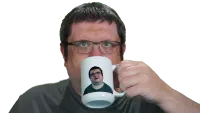
Ozject is an autistic content creator with a Bachelor of Fine Arts in Creative Writing and a Master of Business Administration. He streams on Twitch; produces videos for YouTube and TikTok; and writes blog content for other autistic content creators on the OzHole.